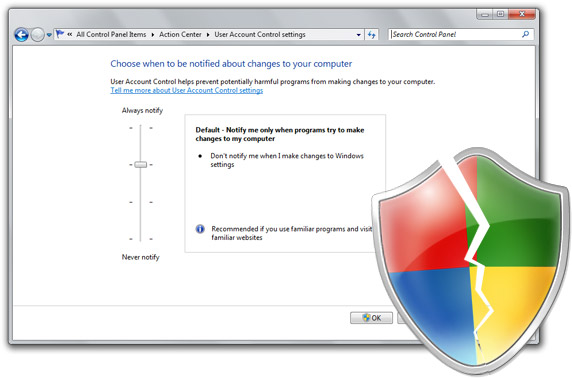
Ensure 90% of Windows 7 security by Eliminating admin rights


According to BeyondTrust, a provider of Privileged Access Lifecycle Management solutions. The removal of administrator rights from Windows users is a mitigating factor for 90 per cent of Critical Windows 7 Vulnerabilities,

Companies migrating to Windows 7 will have to implement a desktop Privileged Identity Management solution in order to lower the risks from un-patched Microsoft vulnerabilities without affecting their users' ability to operate smoothly.


BeyondTrust aids in the elimination of the risk of intentional, accidental and indirect misuse of privileges on desktops and servers. The company offers globally proven solutions that can enhance security and compliance without impacting productivityProtection from exploitation

BeyondTrust research clearly indicates that companies removing administrator rights can protect against the exploitation of 90 per cent of critical Windows 7 vulnerabilities reported to date; 100 per cent of Microsoft Office vulnerabilities reported in 2009; 94 per cent of Internet Explorer and 100 per cent of Internet Explorer 8 vulnerabilities reported in 2009; and about 64 per cent of all Microsoft vulnerabilities reported in 2009.

Steve Kelley, EVP of corporate development, noted the increasing danger faced by enterprises with respect to zero-day attacks. Cyber criminal are always trying to exploit new vulnerabilities and don't give much chance to companies for developing and deploying the patches.

Adequate protection

The report indicates the importance of restricting administrator rights in protecting against all these types of threats. Kelley added that all those companies looking to migrate to Windows 7 should know that despite enhanced security features on the new operating systems, better controls for administrative rights are required to provide adequate protection.

Readers of BeyondTrust 2009 Microsoft Vulnerability Analysis report will get useful insight about all the published vulnerabilities of Microsoft in 2009 and Windows 7 to date.

The report quantifies the effectiveness of removing administrator rights for mitigating Microsoft vulnerabilities and indicates that the vast majority of these share the same best practice advice in the "Mitigating Factors" portion of Microsoft's security bulletins.

According to Microsoft, users whose accounts are configured to have fewer user rights on the system could be less impacted than users who operate with administrative user rights.

Bookmark and Share

5 Free Utilities to Get the best of windows 7


DOWLOAD These five free utilities will give your Windows XP or Vista machine some Windows 7 pizzazz.

AeroSnap: Maximizing a window on today's large monitors is often a waste of screen space. In Windows 7, a feature called Aero Snap lets you automatically resize a window to fill half of your display when you drag the window to the screen's edge. Kick a space out of the feature's name, and you have AeroSnap, an app that brings the same feature to XP and Vista.

Seven Remix XP: Windows 7's visual appeal definitely sets it apart from its aging sibling Windows XP. But this transformation pack makes XP's buttons, boxes, icons, and Start menu look remarkably like the new OS's versions.

Taskbar Shuffle: The new supercharged Windows 7 taskbar allows you to reorder any of your taskbar items with a drag and drop. XP and Vista users can enjoy the same functionality with this lightweight system-tray utility (also available in a 64-bit version).

Windows 7 Shortcuts: Windows 7 introduces gobs of time-saving keyboard shortcuts for moving windows around your desktop, focusing on specific windows, or taking a quick peek at the desktop. This download installs a tiny system-tray utility that adds them to your XP or Vista machine.

WinShake: Windows 7's Aero Peek feature turns windows transparent, giving you X-ray vision for determining what lies beneath. Its Aero Shake function lets you minimize every window but the active one via a simple shortcut. This application brings similar capabilities--and then some--to most of Win 7's precursors.


source


Bookmark and Share
 

Privacy Policy

Privacy Policy by hbailla Privacy Policy for My Blog. The privacy of our visitors to my blog is important to us. At my blog, we recognize that privacy of your personal information is important. Here is information on what types of personal information we receive and collect when you use and visit my blog, and how we safeguard your information. We never sell your personal information to third parties. We use third party advertisements on my blog to support our site. Some of these advertisers may use technology such as cookies and web beacons when they advertise on our site, which will also send these advertisers (such as Google through the Google AdSense program) information including your IP address, your ISP , the browser you used to visit our site, and in some cases, whether you have Flash installed. This is generally used for geotargeting purposes (showing New York real estate ads to someone in New York, for example) or showing certain ads based on specific sites visited (such as showing cooking ads to someone who frequents cooking sites).
scout national du maroc